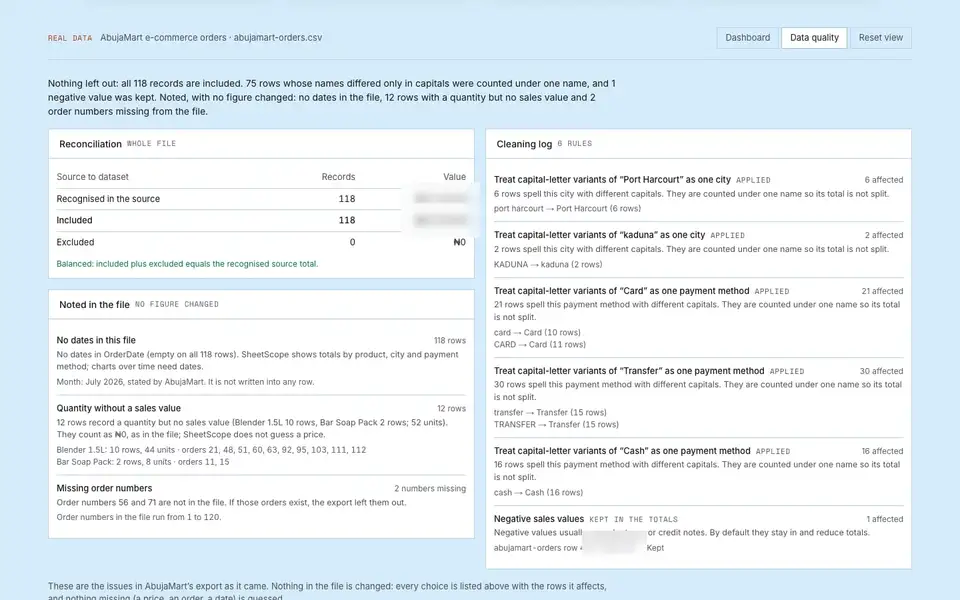
Explore AbujaMart's real orders in SheetScope
A click-through demo in 6 steps. Open it on your phone.
1
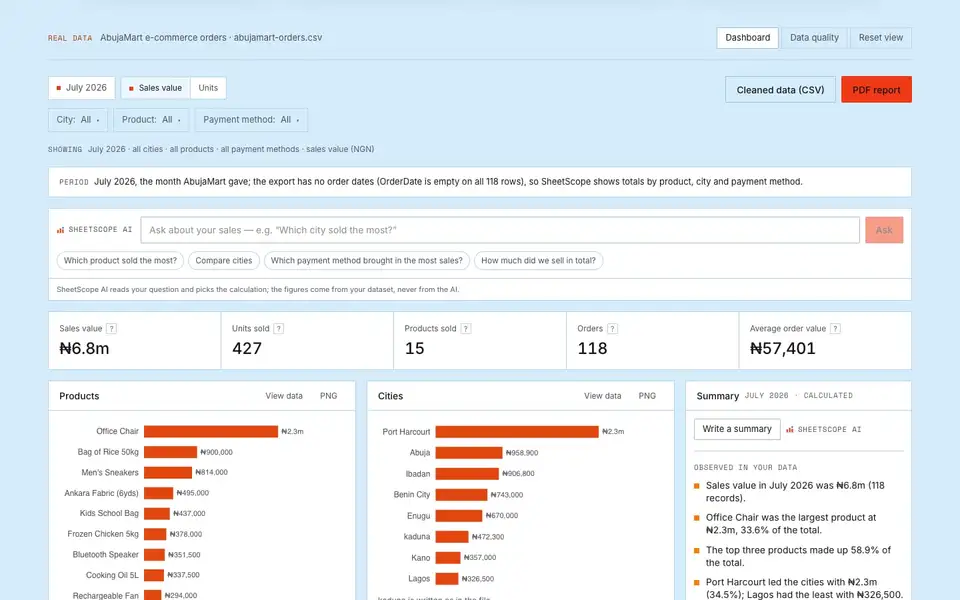
Tap City: All
Filter your order dashboard to view sales from specific locations.
2
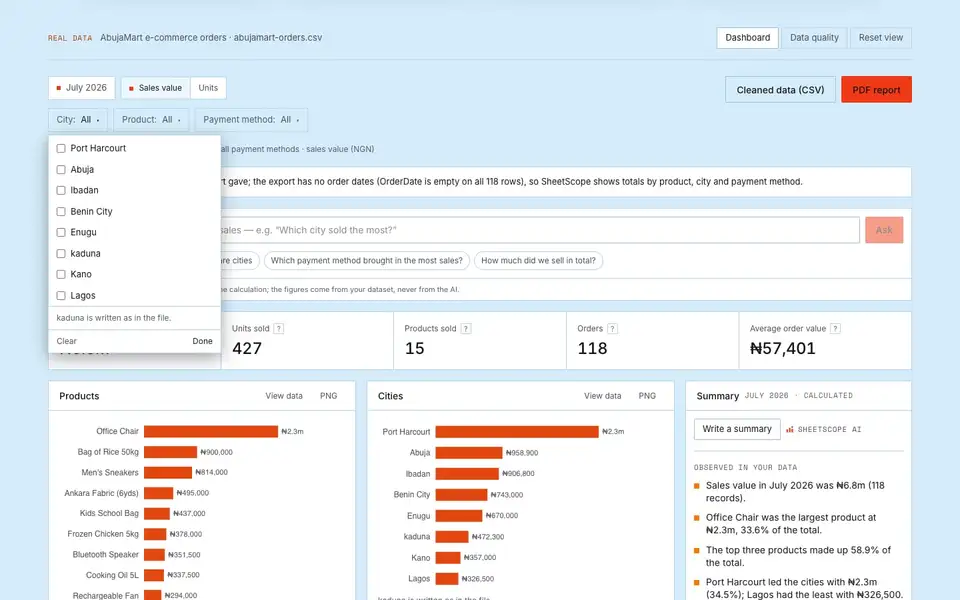
Select Lagos
Select Lagos from the list to filter the dashboard data to Lagos orders.
3
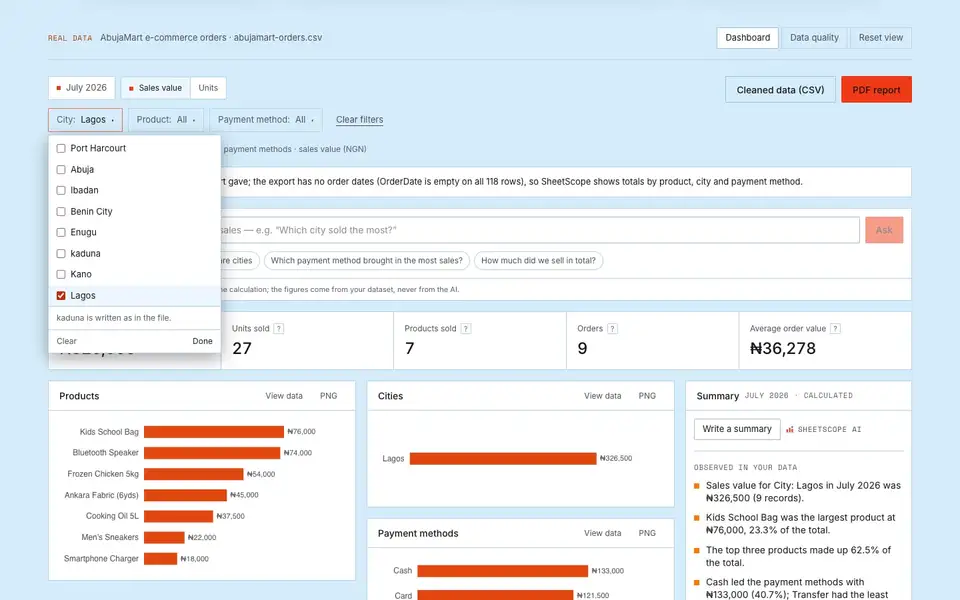
Click Done
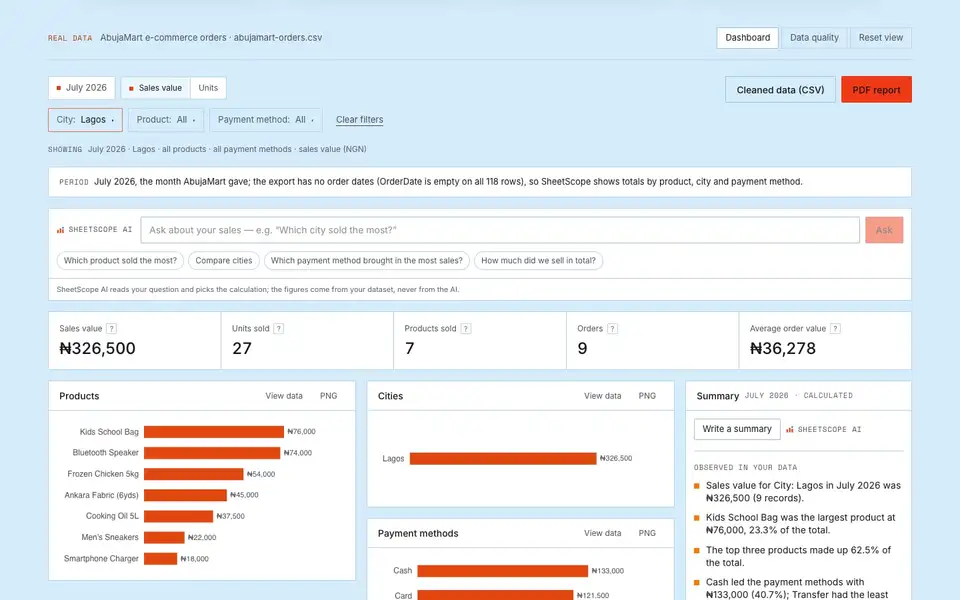
Close the city filter menu to view your updated dashboard for Lagos.
4
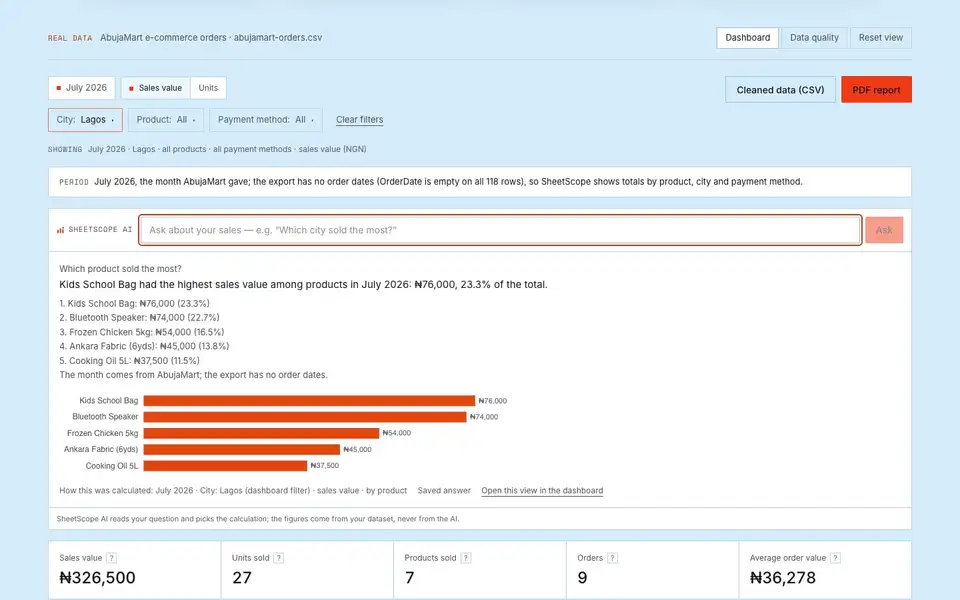
Tap Which product sold the most?
Ask SheetScope AI to see the top-selling product for your filtered Lagos orders.
5
Open the Data quality tab
See how AbujaMart's 118 orders were checked and what was cleaned.
6
Review your data quality
Check data reconciliation notes and cleaning rules to ensure all records match accurately.